🍪 This website uses cookies

    We use cookies to operate our website, analyze traffic, and support marketing activities where permitted by law.
    Learn more in our Cookie Policy.

    Turn approved procedures and recordings into training.

    Upload what you have. Create training video in minutes. Use it for years.

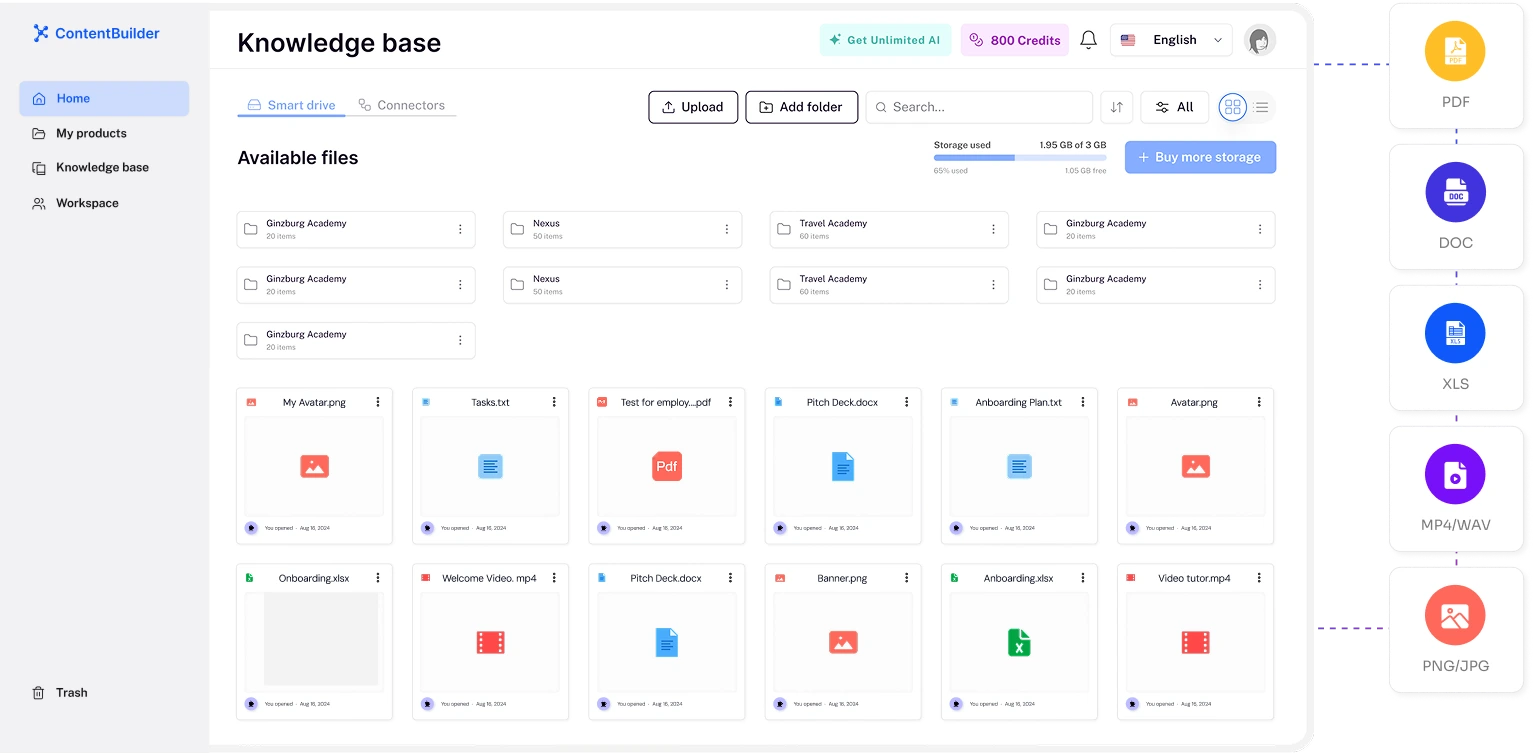
    Upload SOPs, slides, Notion, Drive

    AI turns files into a structured course

    From materials to course in minutes

    One source of truth for your team

    Share or export to your LMS

    Update once — applies everywhere

    1.8 hrs

    lost per employee daily searching for info

    5 of 6

    employees recreate docs from scratch

    10 min

    to turn your files into a course

    100%

    of your knowledge — captured forever

    The cost of having materials but no system

    Your knowledge is everywhere.
    And nowhere at the same time.

    1.8 hours lost per employee, every day. When someone leaves, their knowledge leaves too.

    ContentBuilder

    With ContentBuilder

    Upload once. Course in minutes. Use for years.

    Where knowledge lives

    One structured course built from your files

    Findability

    Search once — answer lives in the course

    Duplication

    Single source of truth, used by everyone

    New hire experience

    Self-serve onboarding course from day one

    When someone leaves

    Captured once. Stays forever.

    1.8h→0

    Daily search time per employee

    10 min

    From files to a working course

    100%

    Knowledge captured, not lost

    Built for teams with materials, not systems

    One place to turn your files, docs and recordings into a course your team will actually use

    Speaking in 100+ languages
    AI Avatars

    Lifelike AI avatars present your materials for you

    Choose from 200+ avatars or clone yourself. They walk every team member through your SOPs, slides and Notion pages — in your tone, in any language.

    company-sop.pdf
    notion-export.md
    Building course…
    Files → Course

    Turn your SOPs, slides and Notion pages into a real course

    Drop in PDFs, DOCX, PPTX or a Notion link — get a structured course with modules, lessons and quizzes in minutes.

    EnglishEspañolFrançaisDeutsch中文日本語Portuguêsالعربيةहिन्दीItalianoPolskiTürkçe+89 more
    1-click translation

    Same materials, every team, in 100+ languages

    One source of truth for every office. Translate your course in one click — your AI avatar stays on-brand, lips synced perfectly.

    Brandkit

    Every lesson stays perfectly on-brand

    Upload your logo, set your colors, lock your fonts. The course built from your materials looks like it came from your team — automatically.

    Brand kit editor with logo, colors and fonts applied to a slide

    Upload what you have. Get a course in minutes.

    Three steps. Your existing files. No course design experience needed.

    Step 1: Upload your SOPs, slides, docs or Notion pages

    Two ways to start

    Turn your materials into a course once. Use it for years.

    Upload your own SOPs, slides and Notion pages — or start from a proven template and drop your content in.

    Turn your existing materials into a course

    Drop in SOPs, presentations, Notion pages, Google Docs or Confluence — AI structures them into a complete course your team can actually go through, instead of digging through folders.

    Use my own materials
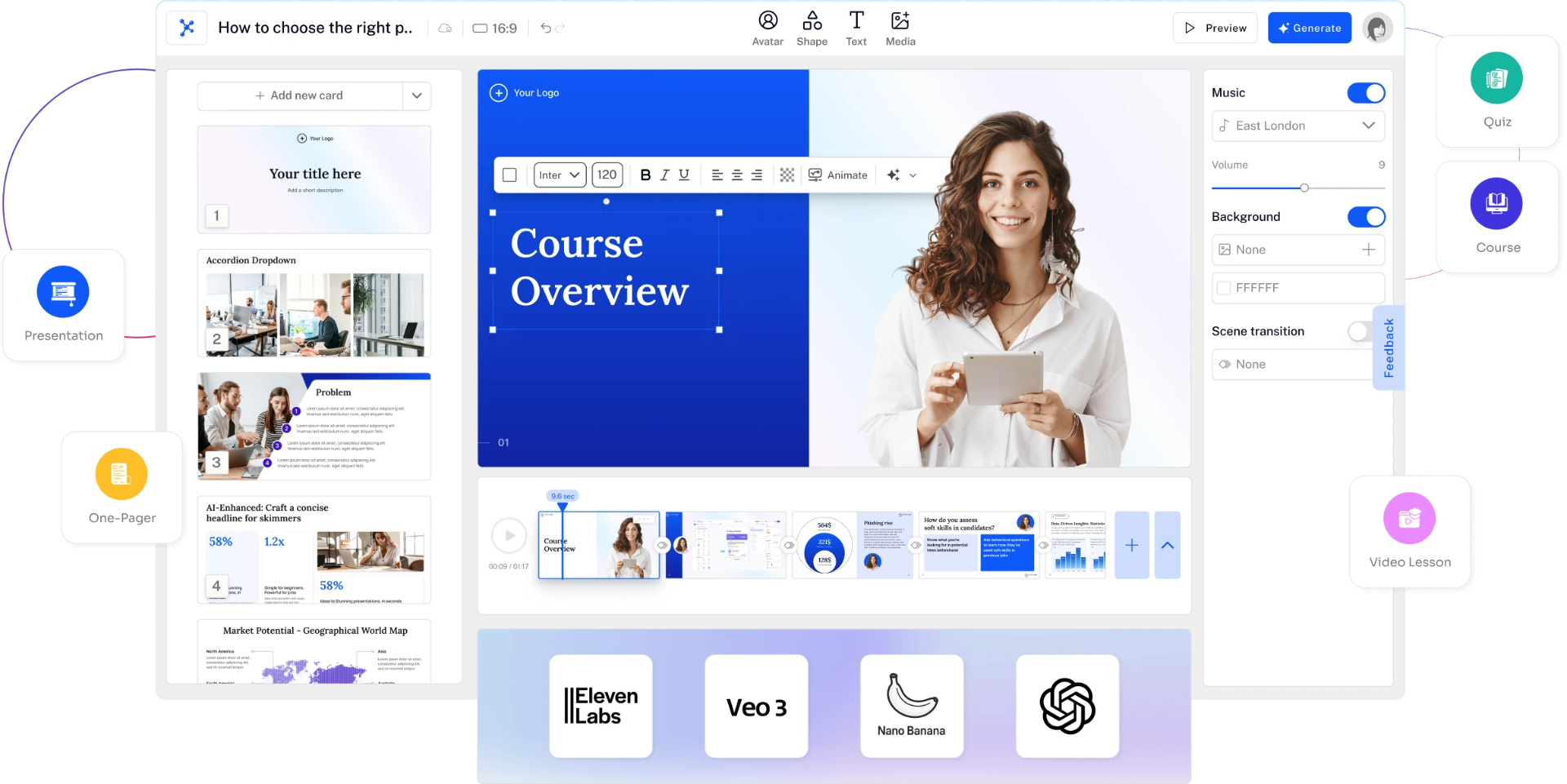
    Build from your knowledge

    Start from a proven template, drop your content in

    Pick a ready-made structure — onboarding, SOPs, role training, process guides — and replace the placeholders with your own materials. Course in minutes.

    Browse templates
    Ready-made training templates marketplace

    Set up in under an hour. Use the same course for every future hire and update.

    See the workflow

    Step 1

    Example workflow

    "Upload documents, links, and recordings as the starting point for your training."

    Example workflow — not a customer result

    HR Director • Illustrative scenario

    Step 2

    Example workflow

    "Create courses, video lessons, and quizzes. Edit the draft to match your procedures."

    Example workflow — not a customer result

    L&D Manager • Illustrative scenario

    Step 3

    Example workflow

    "A person checks the content and publishes it when it is ready for learners."

    Example workflow — not a customer result

    Chief Learning Officer • Illustrative scenario

    Step 4

    Example workflow

    "Invite learners and track progress through published courses in ContentBuilder."

    Example workflow — not a customer result

    Operations Director • Illustrative scenario

    Step 1

    Example workflow

    "Upload documents, links, and recordings as the starting point for your training."

    Example workflow — not a customer result

    HR Director • Illustrative scenario

    Step 2

    Example workflow

    "Create courses, video lessons, and quizzes. Edit the draft to match your procedures."

    Example workflow — not a customer result

    L&D Manager • Illustrative scenario

    Step 3

    Example workflow

    "A person checks the content and publishes it when it is ready for learners."

    Example workflow — not a customer result

    Chief Learning Officer • Illustrative scenario

    Step 4

    Example workflow

    "Invite learners and track progress through published courses in ContentBuilder."

    Example workflow — not a customer result

    Operations Director • Illustrative scenario

    Step 1

    Example workflow

    "Upload documents, links, and recordings as the starting point for your training."

    Example workflow — not a customer result

    HR Director • Illustrative scenario

    Step 2

    Example workflow

    "Create courses, video lessons, and quizzes. Edit the draft to match your procedures."

    Example workflow — not a customer result

    L&D Manager • Illustrative scenario

    Step 3

    Example workflow

    "A person checks the content and publishes it when it is ready for learners."

    Example workflow — not a customer result

    Chief Learning Officer • Illustrative scenario

    Step 4

    Example workflow

    "Invite learners and track progress through published courses in ContentBuilder."

    Example workflow — not a customer result

    Operations Director • Illustrative scenario

    Your training materials exist. Your training system doesn't.

    Upload what you have. Create training video in minutes. Use it for years.

    No course design experience needed • Takes less than 10 minutes • Any file works

    Example workflow

    See the workflow

    1. 01

      Company procedures

    2. 02

      Editable lesson and quiz

    3. 03

      Human review

    4. 04

      Published course and invitations

    5. 05

      Learner progress

    From source to learner: available and planned

    Approved knowledge

    Approved knowledge — product interface illustration
    • Document uploads
    • Web links
    • Recording transcripts
    • Source owners and versionsComing
    • Connected drivesComing
    • Semantic searchComing

    Freshness

    Freshness — product interface illustration
    • Flag lessons when a source changesComing
    • Request another review after source changesComing